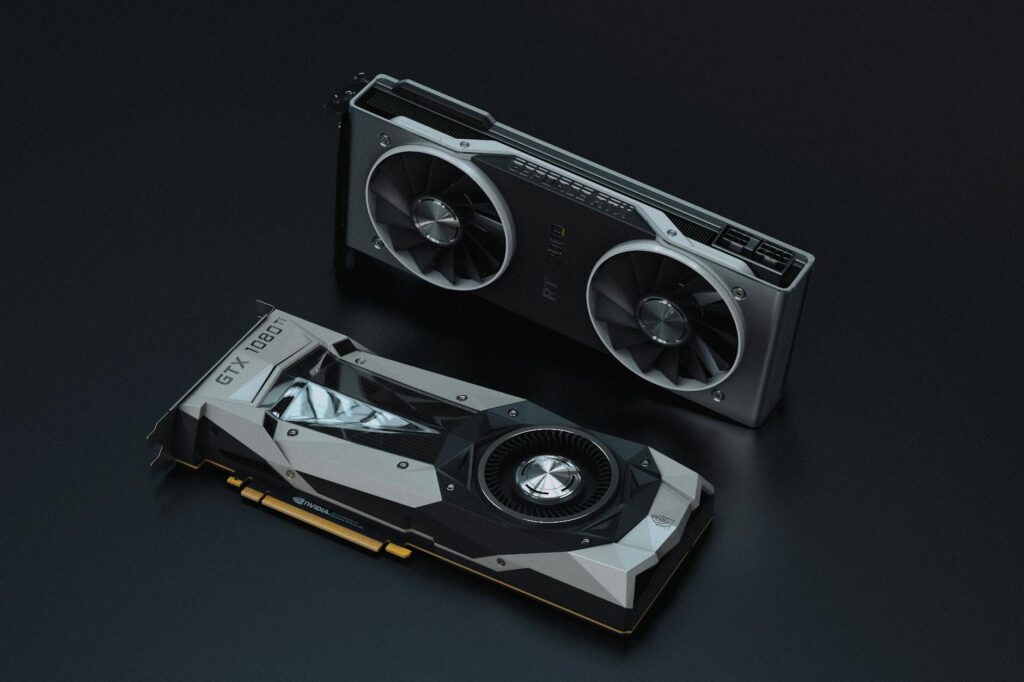
What is CUDA?
Compute Unified Device Architecture is referred to as CUDA. NVIDIA developed a unique technology that enables computers to perform a variety of tasks rapidly. Imagine it as a magical kitchen where multiple chefs collaborate to prepare food more quickly rather than just one chef doing all the cooking.
When computers need to perform large, complex calculations, such as creating realistic video games or assisting scientists in their study of planet motion, this technology makes them much smarter and faster. It makes it possible for the computer’s graphics card—the component typically used for gaming—to assist with more than just graphics.
What does CUDA in GPU do?
CUDA is like a very smart helper inside a computer made by NVIDIA. Imagine you have a big box of crayons and you want to color a huge picture. Instead of coloring it alone, you have many friends who can all color different parts at the same time.
CUDA helps the computer’s graphics card, called the GPU, to work like those many friends coloring together very fast. This makes it possible to do many jobs at once, like making video games look real, helping doctors study images, or teaching computers to recognize things faster.
CUDA is transforming medical imaging and radiology by making image processing much faster and more efficient. Medical imaging techniques like MRI, CT scans, and PET scans involve complex calculations to create detailed pictures of the inside of the body. These calculations used to take a lot of time with normal CPUs (central processing units). But with CUDA, NVIDIA’s technology allows the powerful graphics cards (GPUs) to handle many parts of the image processing at the same time, drastically speeding it up.
This means doctors get clearer images more quickly, which helps them diagnose diseases faster and more accurately. It also enables real-time image analysis during procedures, improving patient outcomes. CUDA accelerates advanced applications like 3D image reconstruction, noise reduction, and artifact removal, making scans more precise. Additionally, CUDA powers AI and machine learning models in radiology, assisting in detecting cancers, neurological disorders, and heart diseases earlier.
NVDIA Vs AMD
NVIDIA CUDA and AMD GPU technology differ mainly in architecture, software ecosystem, and market focus.
CUDA (Compute Unified Device Architecture) is NVIDIA’s proprietary parallel computing platform and API that allows developers to access the massive processing power of NVIDIA GPUs for general-purpose computing, particularly optimized for AI, machine learning, and high-performance computing (HPC) workloads. CUDA has a mature, extensive software ecosystem with optimized libraries and broad support in popular AI frameworks like TensorFlow and PyTorch, making it the dominant choice in research and industrial AI applications.
AMD GPUs use different architectures—RDNA for gaming and CDNA for compute—with their own parallel computing platform called ROCm (Radeon Open Compute). While ROCm is open-source and supports many HPC workloads, it is less mature and less widely adopted compared to CUDA. AMD generally offers competitive hardware performance and better price-to-performance ratios, especially in gaming and rasterization tasks, but NVIDIA currently leads in AI-focused features such as Tensor Cores and real-time ray tracing.
AI & ML in Radiology
AI (Artificial Intelligence) and ML (Machine Learning) are revolutionizing radiology and medical imaging by significantly enhancing the accuracy, speed, and efficiency of image analysis. In radiology, AI algorithms help in early and precise detection of diseases by analyzing imaging data like X-rays, MRI, CT, and PET scans with high precision, often surpassing human capability.
AI reduces diagnostic errors and reporting times, assists radiologists in complex tasks, and optimizes workflows by automatically annotating images, integrating patient history, and alerting inconsistencies. This results in faster diagnoses, better patient care, and optimized use of medical resources.
In dental imaging, particularly with CBCT (Cone Beam Computed Tomography), AI and ML further advance diagnostic capabilities. AI-powered platforms use machine learning models trained on vast datasets to automatically detect dental issues such as bone loss, caries, and apical lesions. They highlight critical anatomical landmarks like the mandibular canal and sinus floor to reduce treatment risks.
AI overlays visual, color-coded annotations on 3D CBCT images, enhancing the clinician’s ability to interpret complex scans rapidly and accurately. Additionally, AI improves image quality by reducing noise and artifacts, making diagnoses and treatment planning more precise and reliable in dental care.
Applications of AI & ML
Metal Artefact Reduction
AI and machine learning are making metal artifact reduction in medical images much better and easier. Metal artifacts are those dark or bright streaks and spots you see in CT or CBCT scans when metal objects like dental fillings, implants, or surgical tools block the X-rays. These artifacts can hide important details and make it hard for doctors to see what’s going on.
With AI and ML, computers learn from many examples of images with and without metal artifacts. They get smart enough to recognize and remove or reduce these streaks automatically. This helps clear up the images so doctors can see clearer pictures of bones, teeth, or tissues near the metal. Unlike older methods, AI can work faster and more accurately because it adapts and improves by learning from new data.
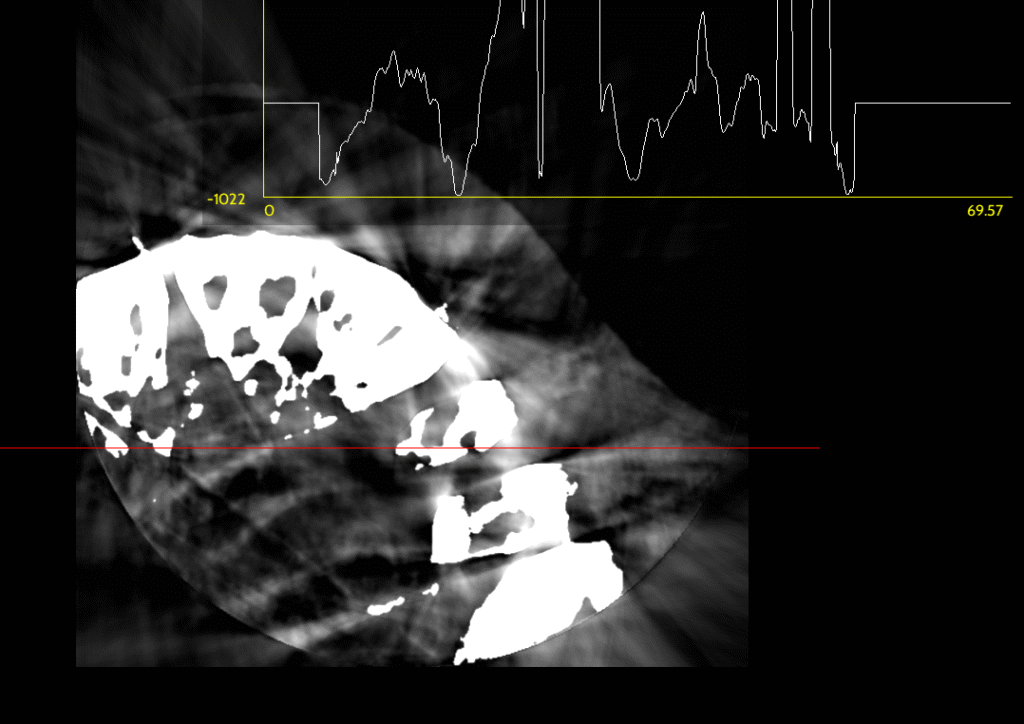
Image Segmentation
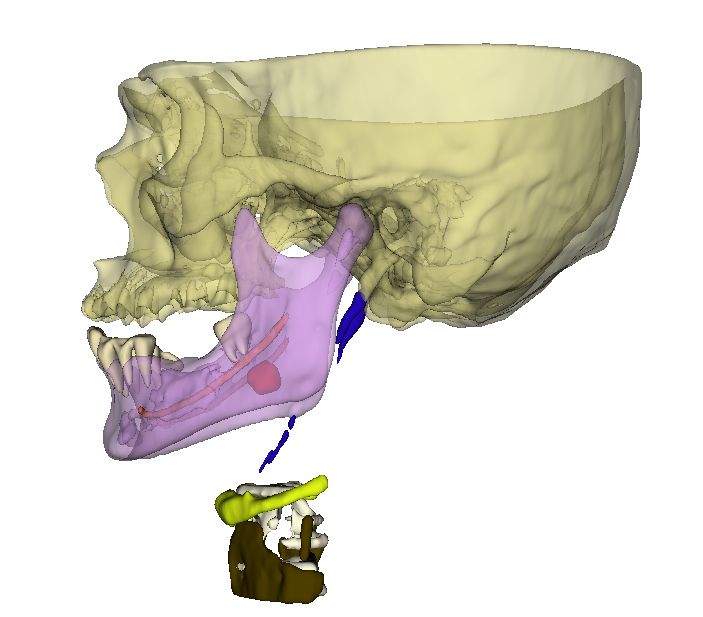
AI and machine learning improve image segmentation by making it faster, more accurate, and less reliant on manual work. Image segmentation means dividing medical images into parts, like separating a tumor from healthy tissue or isolating organs for detailed study.
Traditional methods required radiologists or technicians to trace these areas by hand, which was time-consuming and sometimes inaccurate. AI uses deep learning models trained on thousands of images to automatically recognize and outline different structures. These models learn complex patterns in image textures, shapes, and contrasts that humans might miss.
The advantages include:
- Speed: AI can segment images in seconds, enabling quicker diagnoses.
- Precision: AI reduces errors and variability, providing consistent and reproducible results.
- Complex Structures: It handles difficult cases with blurry boundaries or overlapping tissues better than traditional tools.
- Three-dimensional segmentation: AI efficiently processes 3D scans like CBCT, helping clinicians visualize anatomy in true detail.
Lesion Detection
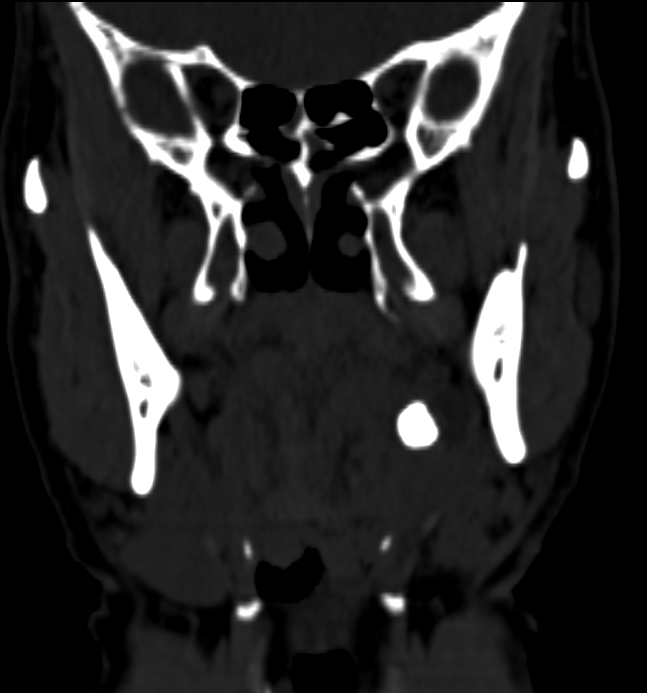
AI and machine learning help in lesion detection by automatically spotting small, subtle abnormalities like tumors, cysts, or nodules on medical images that might be missed by the human eye. These algorithms are trained on large datasets of images, learning the differences between normal tissue and lesions.
The benefits include:
- Early Detection: AI can identify lesions at very early stages, which is critical for treatment success.
- Increased Accuracy: It reduces false negatives (missed lesions) and false positives (mistaken normal areas), helping doctors make better decisions.
- Speed: Automated lesion detection speeds up image reading, allowing radiologists to review many cases faster.
- Consistency: AI ensures uniform detection standards across all patients, avoiding variability between different doctors.
In dental imaging, AI assists in detecting root fractures, caries, and other dental lesions on CBCT scans, improving diagnosis and treatment planning.
Radiomics
Radiomics is a special technique in medical imaging that extracts a large number of detailed and measurable features from images like CT scans, MRI, and X-rays. These features, called radiomic features, describe patterns, shapes, textures, and intensities in the images that are often too complex for the human eye to see.
The main idea behind radiomics is to turn medical images into a set of numbers that can be analyzed using computers and AI to help doctors better understand diseases. This helps predict how a disease like cancer might behave, how it will respond to treatment, and the patient’s likely outcome. Radiomics supports personalized medicine by giving more detailed and deeper information beyond what regular image inspection provides.

How CUDA won the race?
CUDA has created a rich environment with many trained AI and ML protocols for medical imaging mainly because of NVIDIA’s early and focused investment in building a comprehensive software ecosystem tailored to AI and high-performance computing.
- Early Entrant Advantage: NVIDIA launched CUDA in 2006 as one of the first parallel computing platforms designed specifically to unlock GPU power for general-purpose computing. This gave them a long head start to develop tools, libraries, and protocols optimized for AI and medical imaging before AMD’s ecosystem matured.
- Dedicated AI Hardware: NVIDIA integrates specialized hardware like Tensor Cores in their GPUs, designed specifically to accelerate deep learning operations. This hardware-software synergy attracted AI researchers and developers to CUDA, enabling rapid development and deployment of AI models in healthcare.
- Comprehensive Software Ecosystem: CUDA offers a broad set of mature and optimized libraries (cuDNN, TensorRT, etc.), development tools, and pre-trained AI models. These resources are widely adopted by research institutions and companies, creating a virtuous cycle of ecosystem growth with many trained protocols, datasets, and workflows for medical imaging.
- Strong Industry Partnerships: NVIDIA actively collaborates with medical imaging vendors, healthcare providers, and AI startups, helping to standardize CUDA as the preferred platform. This collaboration accelerates the availability of CUDA-optimized AI protocols and clinical tools.
- Community and Support: Extensive documentation, tutorials, developer forums, and training programs foster a large community of experts continuously innovating and sharing AI/ML protocols for CUDA.
In contrast, AMD’s ROCm platform is younger, more open-source, and still growing its ecosystem. While promising, it lacks the same widespread industry adoption, hardware specialization, and comprehensive software support, slowing its ability to host as many mature AI and ML protocols for medical imaging.
As a Radiology student which Laptop should i prefer?
For a radiology student or radiologist selecting a laptop, the key considerations are performance, GPU capability for medical imaging and AI tasks, reliability, and software compatibility.
Recommended Laptop Features:
- Powerful GPU: A dedicated NVIDIA GPU with CUDA support is generally preferred. It accelerates AI, deep learning, and advanced image processing tasks common in radiology.
- Strong CPU: A recent multi-core Intel or AMD Ryzen processor with high clock speed to handle general computing and software.
- Ample RAM: At least 16 GB, preferably 32 GB or more, for smooth multitasking and handling large imaging datasets.
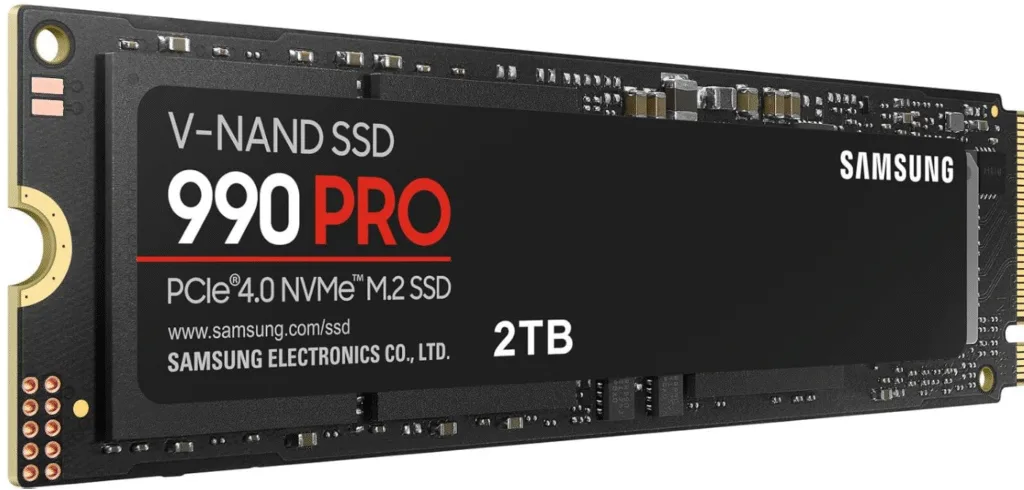
- Fast Storage: SSD with 512 GB or larger capacity for quick data access and software performance.
- High-Resolution Display: Preferably 15+ inches with full HD or 4K resolution for clear image viewing.
- Good Cooling and Battery: Important for sustained performance during heavy processing.
NVIDIA GPU vs AMD GPU:
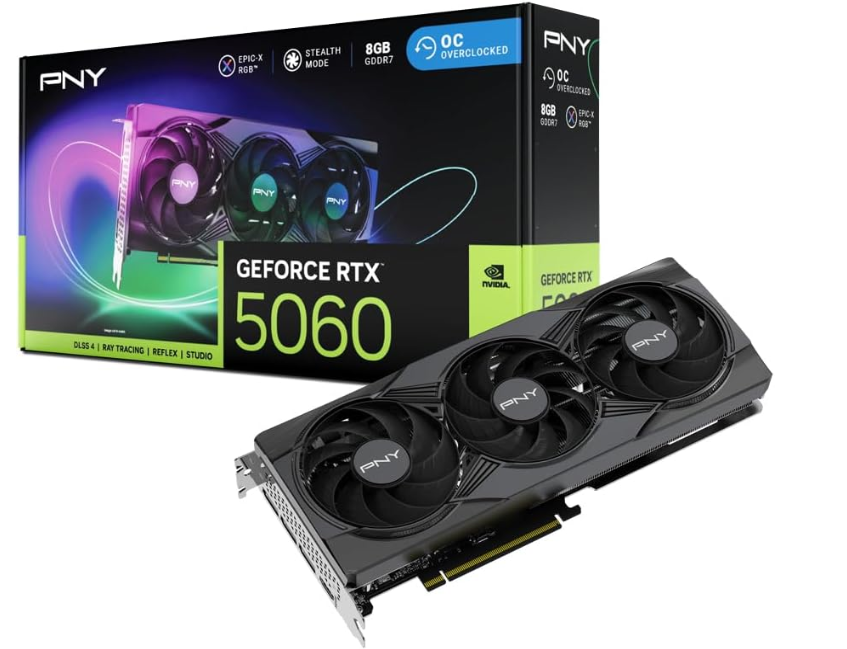
- NVIDIA GPU with CUDA: Ideal if you engage in AI-based radiology tasks, machine learning, 3D rendering, and advanced medical imaging software. NVIDIA’s CUDA ecosystem is widely supported, with many radiology and AI applications optimized for it. Specific models like NVIDIA RTX series (e.g., RTX 3060, 4070) balance performance and cost well.
- AMD GPU: While AMD GPUs often offer competitive raw horsepower and better value in gaming, their support in specialized radiology AI tools and optimized healthcare frameworks still lags behind NVIDIA. For general radiology software use without heavy AI workloads, AMD may suffice but lacks CUDA-based acceleration benefits.
Recommended for Readers
For readers who want detailed and expert guidance on choosing the best laptop or desktop configuration optimized for guided implant planning and advanced dental imaging workflows, this comprehensive buyers guide on Dental Orb is highly recommended.
Conclusion
CUDA is fundamentally helping these advancements in medical imaging and radiology by providing a powerful and efficient platform for parallel computing on NVIDIA GPUs. Many AI, machine learning, and image processing algorithms—such as those used for image segmentation, lesion detection, metal artifact reduction, and radiomics—require intensive computations over large data sets. CUDA allows developers to harness thousands of GPU cores simultaneously, drastically speeding up these tasks compared to traditional CPUs. This acceleration enables real-time or near-real-time analysis of complex 3D medical images, allowing clinicians to make faster and more accurate decisions.
Moreover, CUDA offers a mature and well-supported software ecosystem with optimized libraries (like cuDNN for deep learning), development tools, and extensive documentation. This robust framework encourages adoption by researchers, software developers, and medical imaging companies, leading to a rapidly growing repository of CUDA-optimized applications in healthcare.
In contrast AMD’s ROCm is open-source but has fewer optimized AI frameworks, libraries, and developer tools widely accepted in medical imaging and AI communities. This results in slower adoption and less support in specialized, high-performance healthcare applications. Additionally, NVIDIA’s CUDA architecture has unique hardware features like Tensor Cores specifically designed for AI workloads, which AMD currently lacks at the same level, giving NVIDIA an edge in accelerating deep learning algorithms critical for radiology.
FAQs
What are the minimum laptop specifications needed for guided implant planning and CBCT imaging?
At least 16 GB of RAM, a recent multi-core processor (Intel i5/i7 or AMD Ryzen 5/7), an NVIDIA GPU with CUDA support (such as RTX 3060 or higher), SSD storage of 512 GB or more, and a full HD display are recommended for smooth and efficient processing of large 3D datasets.
Why is an NVIDIA GPU preferred over AMD for implant planning software?
NVIDIA GPUs support CUDA, a robust parallel computing platform widely used in AI and imaging applications. Many implant planning and radiology AI tools are optimized specifically for CUDA, offering better performance, speed, and compatibility compared to AMD GPUs.
How important is the GPU in a laptop for radiology students or professionals?
The GPU accelerates complex image processing tasks like 3D rendering, AI-based analysis, and segmentation. A powerful GPU reduces wait times for image reconstruction and analysis, enabling faster and more accurate diagnostics and planning.
What display quality is recommended for dental and radiology imaging work?
A high-resolution screen (at least 1920×1080, full HD) with good color accuracy helps visualize fine details in medical images and 3D models essential for precise planning.
Can I use a desktop instead of a laptop for guided implant planning?
Absolutely. Desktops often offer better performance for the price and easier upgradability. However, laptops provide portability, which is convenient for students and professionals on the move.
Are there specific brands or models recommended for guided implantology?
Brands like Dell XPS, Lenovo ThinkPad, MSI, and ASUS ROG offer models with NVIDIA RTX GPUs suitable for medical imaging workloads.
How much storage do I need?
A minimum of 512 GB SSD is adequate for storing software and patient data, but 1 TB or more is preferable for heavy use involving large 3D imaging files
Is more RAM always better?
For basic implant planning, 16 GB RAM is sufficient. For advanced multi-tasking and large datasets, 32 GB or more ensures smooth performance.
Why is CUDA support crucial in medical imaging laptops?
CUDA enables acceleration of AI and machine learning algorithms frequently used in radiology and dental imaging, allowing real-time image processing and improved diagnostic accuracy.
Where can I find a comprehensive guide to choosing the best laptop for guided implant planning?
An excellent, detailed buyer’s guide is available at DentalOrb:
https://dentalorb.com/the-best-laptop-configuration-for-guided-implant-planning-complete-buyers-guide/

With over a decade of experience in dentistry, I specialize in diagnosing a wide range of oral diseases and have developed a deep passion for dental imaging. My interest in CBCT reporting and digital implantology led me to become a pioneer in the concept of diagnostic 3D modelling. Throughout my career, I have supported and educated numerous dentists in mastering CBCT interpretation, virtual implant planning, and the latest advancements in 3D printing for dental applications. Read more about me on the “about me” page.
- Steiner’s Analysis – Free online Cephalometry - November 23, 2025
- A Complete guide to Grayscale values in CT & CBCT - November 15, 2025
- Struggling to get your old PC to run new Radiology software smoothly? Here’s a trick with SSD that might save you. - November 14, 2025