
If you work in a dental office, hospital, or medical imaging center, you’ve probably heard the terms “CBCT” and “PACS” thrown around.
But what do these acronyms really mean, and why should you care about whether your CBCT machine is PACS-compatible? Today, we’re going to break down these complex medical technologies into simple, everyday language.
What is CBCT? The Basics
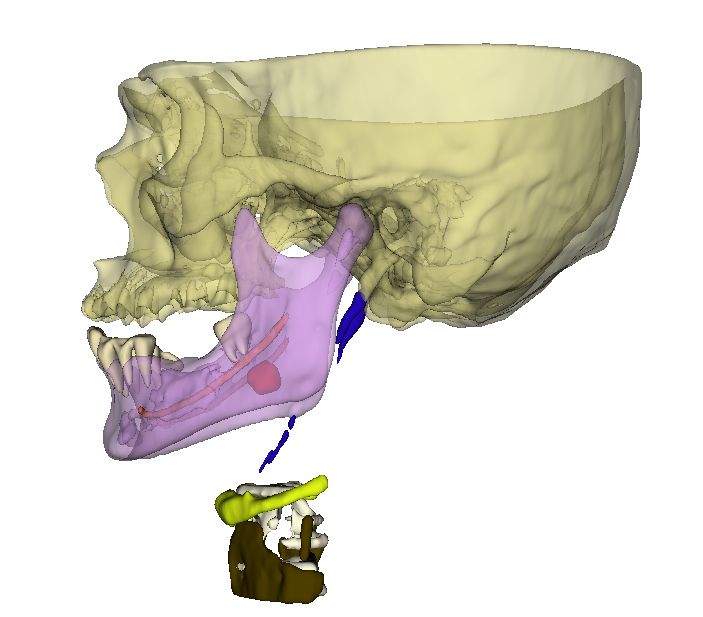
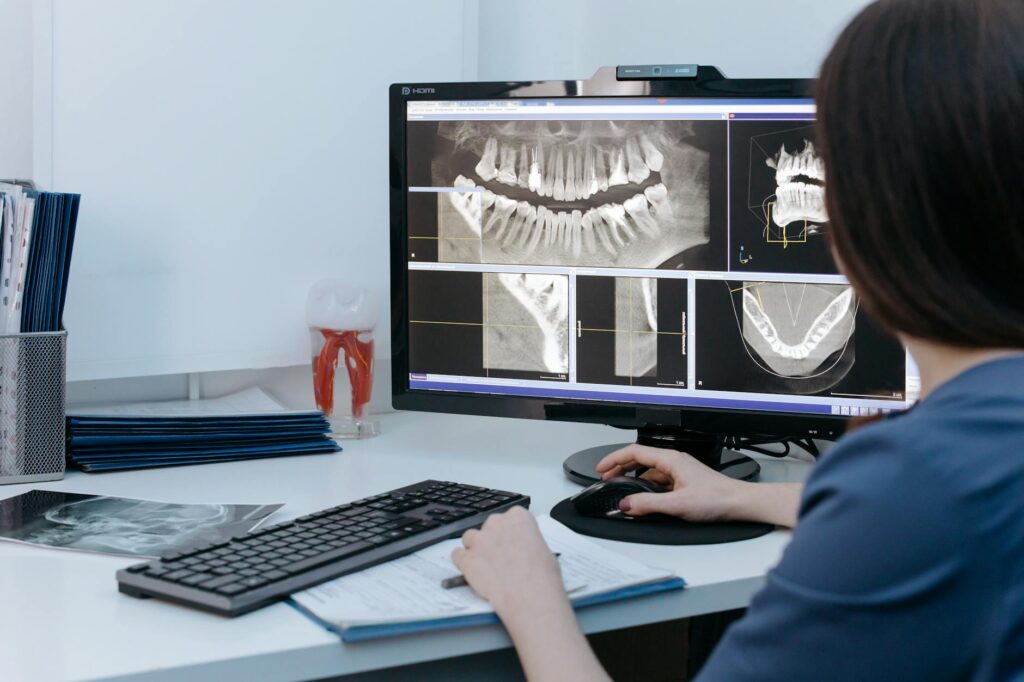
CBCT stands for Cone Beam Computed Tomography. Think of it as a specialized X-ray machine that takes 3D pictures instead of flat, 2D images. Instead of the traditional panoramic X-rays that show your teeth in a flat view, CBCT creates detailed, three-dimensional images of your teeth, jaw, and surrounding structures.
Imagine the difference between looking at a photograph of a building versus being able to walk around it and see it from every angle – that’s essentially what CBCT offers compared to traditional X-rays.
What is PACS? Your Digital Filing Cabinet
PACS stands for Picture Archiving and Communication System. If we use a simple analogy, PACS is like a super-sophisticated digital filing cabinet for medical images, but one that can do much more than just store files.
Think about how you store photos on your smartphone. You can:
- Take a picture
- Store it in folders
- Share it with friends
- Edit it
- Search for specific photos
- Back it up to the cloud
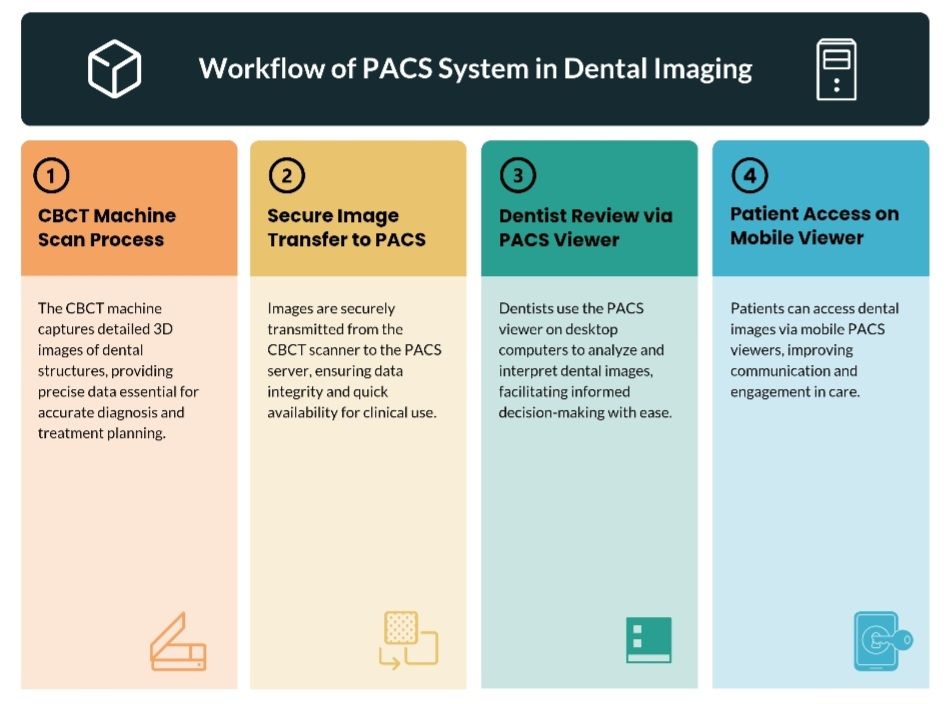
PACS does all of this and more, but for medical images like X-rays, CT scans, MRIs, and CBCT scans. It’s the central hub where all medical images in a healthcare facility are stored, organized, and accessed.
Key Functions of PACS:
Storage: Instead of physical film that can be lost or damaged, all images are stored digitally and safely backed up.
Organization: Images are automatically organized by patient, date, type of scan, and other criteria.
Access: Doctors, dentists, and technicians can view images from any computer in the network, whether they’re in the same building or across the country.
Sharing: Images can be instantly shared with specialists, other healthcare providers, or insurance companies.
Integration: PACS connects with other hospital systems like electronic health records (EHR).
Why PACS Compatibility Matters for CBCT Machines
Now that we understand both technologies, let’s explore why having a PACS-compatible CBCT machine is crucial for modern healthcare practices.
1. Seamless Workflow Integration
The Problem Without PACS: Imagine you’re a dentist who just took a CBCT scan of a patient’s jaw. Without PACS compatibility, you might need to:
- Save the image to a USB drive
- Walk to another computer
- Upload the image manually
- Email it to a specialist
- Print physical copies for the patient’s file
The Solution With PACS: The CBCT scan is automatically uploaded to the central system, immediately available to anyone who needs it, properly filed under the patient’s record, and accessible from any connected device in your practice.
2. Improved Patient Care
Faster Diagnosis: When a CBCT scan is immediately available in PACS, doctors can make faster decisions. If a patient needs emergency treatment, every minute counts.
Better Collaboration: Specialists can review CBCT images from their own offices, leading to faster consultations and treatment planning. An oral surgeon in another city can review your CBCT scan and provide recommendations without the patient having to travel.
Comprehensive Records: All of a patient’s imaging history is in one place, allowing healthcare providers to track changes over time and make more informed treatment decisions.
3. Operational Efficiency
Reduced Administrative Work: Staff spend less time managing files and more time helping patients.
Space Savings: No need for physical storage of films or CDs.
Cost Reduction: Less printing, shipping, and physical storage means lower operational costs.
Reduced Errors: Automated filing reduces the chance of lost or misfiled images.
4. Enhanced Security and Compliance
HIPAA Compliance: PACS systems are designed with healthcare privacy laws in mind, ensuring patient information is protected.
Audit Trails: Every time someone views or modifies an image, it’s logged, creating accountability and security.
Disaster Recovery: Images are backed up automatically, protecting against data loss from equipment failure or natural disasters.
Real-World Benefits: How PACS Compatibility Transforms Practice
Let me share some practical scenarios where PACS compatibility makes a real difference:
Scenario 1: The Emergency Patient
A patient comes in with severe jaw pain on a Friday evening. You take a CBCT scan that reveals a complex fracture requiring oral surgery. With PACS compatibility:
- The oral surgeon can review the scan from home within minutes
- Treatment planning can begin immediately
- The patient can receive proper care without waiting until Monday
Scenario 2: The Orthodontic Case
A teenager needs complex orthodontic treatment. The CBCT images show:
- Root positions
- Bone density
- Airway dimensions
With PACS, the orthodontist, oral surgeon, and ENT specialist can all review the same images simultaneously during a virtual consultation, creating a comprehensive treatment plan without multiple appointments.
Scenario 3: The Insurance Claim
An insurance company questions a treatment plan. Instead of printing and mailing physical copies of CBCT images, you can:
- Generate a secure link to the relevant images
- Send it electronically
- Receive approval faster
- Start treatment sooner
Technical Aspects Made Simple
DICOM: The Universal Language
PACS-compatible CBCT machines use a standard called DICOM (Digital Imaging and Communications in Medicine). Think of DICOM as a universal language that all medical imaging equipment speaks. Just like how every computer can open a PDF file regardless of the brand, any PACS system can understand DICOM images from any manufacturer.
Network Integration
When a CBCT machine is PACS-compatible, it connects directly to your practice’s network. The moment a scan is complete, it’s automatically sent to the PACS server without any manual intervention.
Worklist Management
Advanced PACS-compatible CBCT systems can receive “worklists” from your practice management software. This means:
- Patient information is automatically loaded
- Scan protocols are pre-selected
- Images are automatically labeled with correct patient data
- Risk of scanning the wrong patient is virtually eliminated
Choosing a PACS-Compatible CBCT Machine: What to Look For
Essential Features:
DICOM Compliance: Ensure the machine fully supports DICOM standards.
Network Connectivity: Look for ethernet and wireless connectivity options.
Automatic Transfer: Images should upload automatically without user intervention.
Quality Assurance: The system should verify successful image transfer.
Backup Options: Multiple storage locations for redundancy.
Questions to Ask Your Vendor:
- “Is this CBCT machine fully DICOM-compliant?”
- “How does the machine integrate with our existing PACS system?”
- “What happens if the network goes down during a scan?”
- “Can the machine store images locally as a backup?”
- “What kind of technical support do you provide for integration?”
Common Challenges and Solutions
Challenge 1: Network Speed
Problem: Large CBCT files can be slow to transfer over wireless networks.
Solution: Use wired ethernet connections for faster, more reliable transfers.
Challenge 2: Storage Space
Problem: CBCT images are large and can quickly fill storage systems.
Solution: Implement automatic archiving policies and cloud storage options.
Challenge 3: Staff Training
Problem: Team members may resist new technology.
Solution: Provide comprehensive training and emphasize how PACS makes their jobs easier.
The Future of CBCT and PACS Integration
The integration between CBCT machines and PACS systems continues to evolve:
Artificial Intelligence: Future systems will automatically analyze CBCT images and flag potential issues.
Cloud Integration: More practices are moving to cloud-based PACS for flexibility and reduced IT costs.
Mobile Access: Doctors can securely view CBCT images on tablets and smartphones.
Virtual Reality: Some advanced systems are exploring VR visualization of CBCT data.
Making the Investment: ROI Considerations
While PACS-compatible CBCT machines may cost more upfront, consider these long-term benefits:
Time Savings: Reduced administrative tasks free up staff for patient care.
Reduced Errors: Fewer lost or misfiled images mean fewer retakes and liability issues.
Improved Patient Satisfaction: Faster service and better coordination lead to happier patients.
Competitive Advantage: Modern technology attracts patients and referring doctors.
Scalability: Easy to add more locations or expand services.
Conclusion: Embracing the Digital Future
PACS compatibility isn’t just a nice-to-have feature – it’s essential for any modern healthcare practice using CBCT technology. It transforms how you store, access, and share critical patient information, ultimately leading to better patient care and more efficient operations.
As healthcare continues to digitize, practices that embrace PACS-compatible CBCT systems will be better positioned to:
- Provide superior patient care
- Operate more efficiently
- Collaborate effectively with specialists
- Adapt to future technological advances
The investment in PACS-compatible CBCT technology isn’t just about buying equipment – it’s about investing in the future of your practice and the quality of care you can provide to your patients.

With over a decade of experience in dentistry, I specialize in diagnosing a wide range of oral diseases and have developed a deep passion for dental imaging. My interest in CBCT reporting and digital implantology led me to become a pioneer in the concept of diagnostic 3D modelling. Throughout my career, I have supported and educated numerous dentists in mastering CBCT interpretation, virtual implant planning, and the latest advancements in 3D printing for dental applications. Read more about me on the “about me” page.
- Steiner’s Analysis – Free online Cephalometry - November 23, 2025
- A Complete guide to Grayscale values in CT & CBCT - November 15, 2025
- Struggling to get your old PC to run new Radiology software smoothly? Here’s a trick with SSD that might save you. - November 14, 2025